



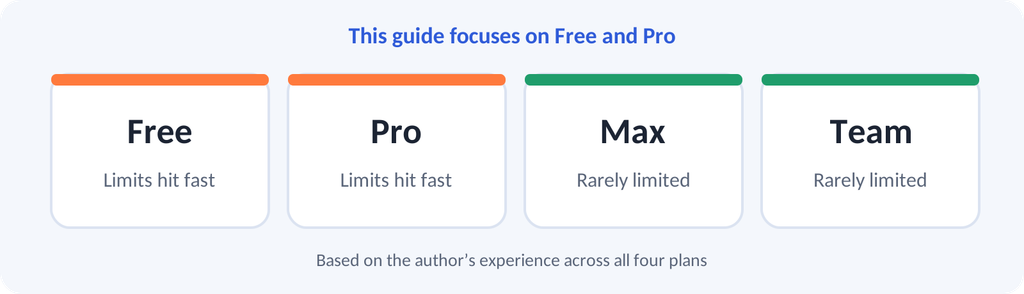
Claude is everywhere right now, but many users hit the rate limit quickly, especially on the Free and Pro plans. The tips below are based on firsthand experience across every tier: a month on Free, three months on Pro, and current use of both Max and Team. They focus on Free and Pro, since Max and Team users rarely run into limits.
What Can You Do on the Free Plan?
The Free plan covers the basics:
- Chatting
- Creating simple Artifacts
- Assigning basic tasks in Cowork
- Generating motion graphics, since Claude writes and prepares the code
It does not include Claude Code or Claude in Chrome. Heavy tasks use up your quota fast, and on both Free and Pro you will see a rate-limit message prompting you to upgrade.
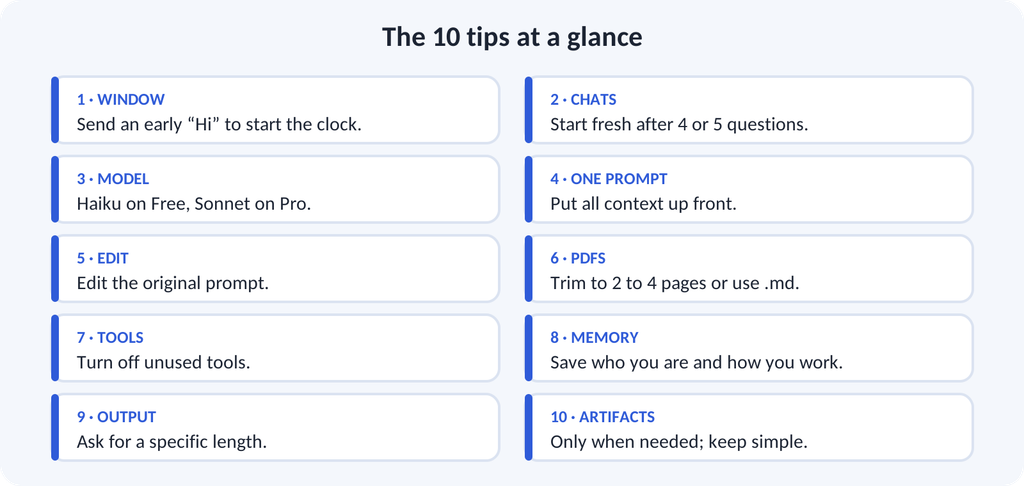
1. Start Your 5-Hour Window Early
Claude works on a 5-hour rolling window. The timer starts with your first message of a session, whether the task is heavy or light. If you hit your limit mid-window, your quota only resets when the full five hours are up.
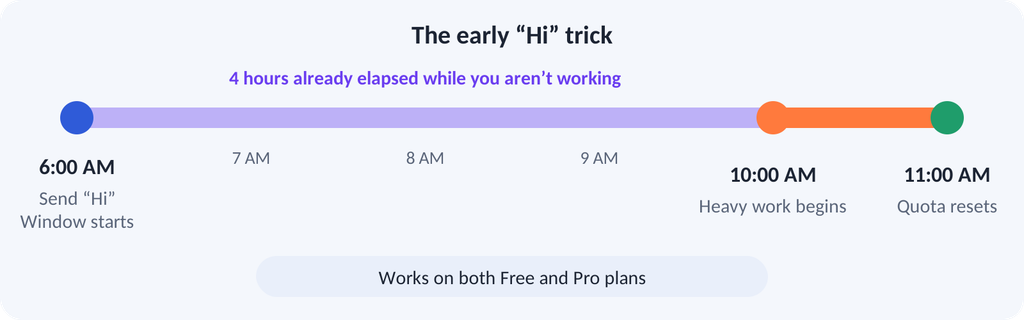
The trick: send a simple “Hi” as soon as you wake up, say at 6:00 AM. That starts your window early. If you begin real work at 10:00 AM, four hours have already passed, so your quota resets at 11:00 AM and you get a fresh window shortly after your heavy work. This works on both Free and Pro.
2. Keep Chats Short and Start Fresh
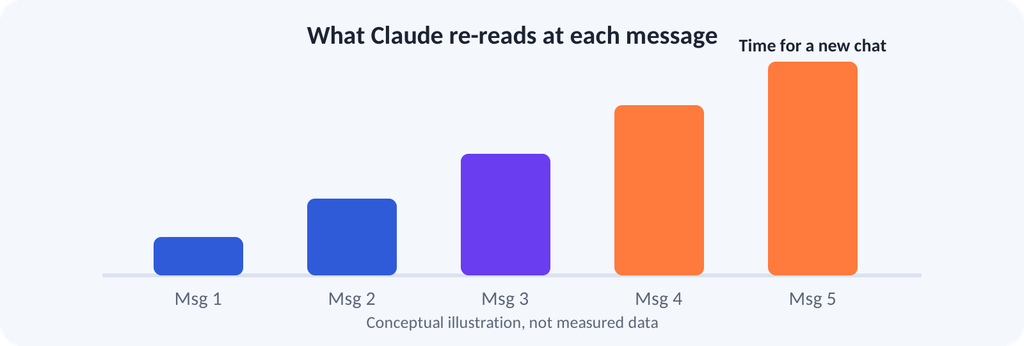
Claude re-reads the entire conversation history every time it generates a response, so token consumption grows with every message. On Free or Pro, avoid dragging a thread past 4 or 5 questions. Open a new chat instead.
3. Choose the Right Model and Effort Level
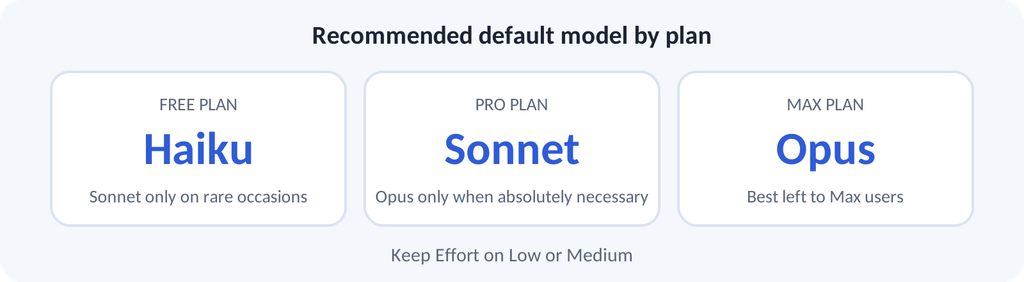
- Free plan: stick to Haiku, and switch to Sonnet only on rare occasions.
- Pro plan: stick to Sonnet, and use Opus only when absolutely necessary.
- Effort setting: keep it on Low, or leave it at the default Medium. Don’t push it higher. Opus is best left to Max users.
4. Combine Instructions into One Initial Prompt
Avoid asking questions or changing requirements one at a time. Put all your questions, context, and requirements into a single detailed prompt. Back-and-forth follow-ups burn tokens quickly, and full context up front means Claude needs less reasoning later.
5. Edit Your Original Prompt Instead of Iterating
If the answer isn’t quite right, don’t reply with “not like this, change it.” Click edit on your original prompt and refine it there. Claude then processes only the updated question rather than re-reading the long previous response.

6. Trim Large PDFs or Convert Them to Markdown
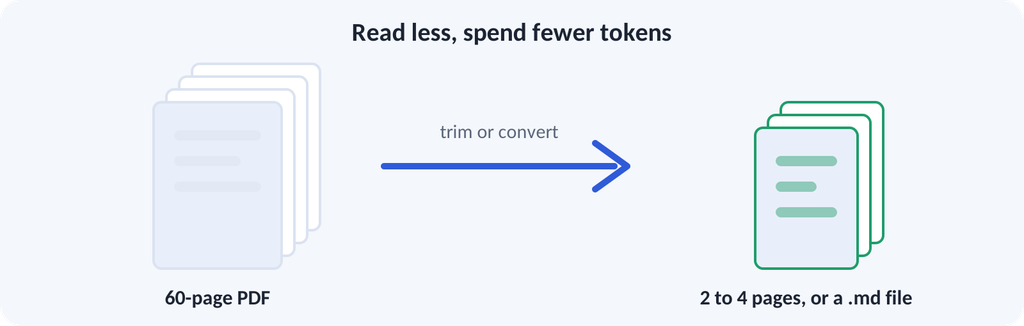
Uploading a 60-page PDF and asking for a summary makes Claude read all 60 pages every time, which is one of the biggest token drains, especially on Pro. Instead:
- Trim the file to the 2 to 4 relevant pages, or
- Convert the PDF to a Markdown (.md) file before uploading.
7. Disable Unnecessary Tools Before You Start
Deep Research, Web Search, and Connectors are often enabled by default, particularly on Pro. Before sending your first message, check your settings and turn off anything you don’t need.
8. Save Key Information in Memory and Preferences
Store details about yourself and your workflow in Claude’s Memory and Preferences. You won’t have to re-explain who you are in every chat, and the saved context carries over if you upgrade to Pro, Max, or Team.
9. Ask for Controlled, Concise Outputs
Long responses consume output tokens. Specify the length you want, for example “3 bullet points,” “5 bullet points,” or “one strong answer.” Shorter outputs help you stay under the limit.
10. Keep Artifacts Simple
Artifacts are available on the Free tier, and Claude often generates them automatically. Tell Claude to create an Artifact only when strictly necessary, and to keep it simple rather than elaborate.
Final Thoughts
With these habits you can work through the day without constantly hitting limits. Free users may still occasionally run into one, for example if Claude gets stuck in a reasoning loop. In that case, wait out the 5-hour reset. Based on the creator’s experience, Free plans have only the 5-hour limit, while Pro plans have both the 5-hour reset and a weekly cap. If you max out the weekly cap, you wait until the next week.
Bonus tip: use Claude Code in the terminal rather than the desktop app, and avoid connecting unnecessary tools, settings, or MCPs. Keeping your workspace lean helps. These strategies also apply to most other AI tools.
Frequently Asked Questions (FAQs)
What is Claude’s 5-hour usage limit?
Claude works on a 5-hour rolling window. The timer starts with your first message of a session, whether the task is light or heavy. If you hit your limit, your quota only resets after the full five hours have passed.
How can I make my Claude usage limit last longer?
Start your 5-hour window early with a simple “Hi,” keep chats short, choose a lighter model, put all your instructions in one detailed prompt, edit your original prompt instead of iterating, trim large PDFs, turn off tools you don’t need, and ask for concise outputs.
Which Claude model should I use on the Free and Pro plans?
On the Free plan, stick to Haiku and use Sonnet only on rare occasions. On Pro, stick to Sonnet and use Opus only when absolutely necessary. Keep the Effort setting on Low, or leave it at the default Medium.
Why do long chats use up my Claude quota faster?
Claude re-reads the entire conversation history each time it generates a response, so every new message adds to the amount it processes. Starting a new chat after about 4 or 5 questions keeps token use down.
Does editing my original prompt save tokens?
Yes, according to the author’s experience. Instead of replying with “change it,” click edit on your original prompt and refine it there. Claude then processes only the updated question rather than re-reading the long previous response.
How do I reduce token use when uploading PDFs to Claude?
Trim the PDF to the 2 to 4 pages you actually need, or convert it to a Markdown (.md) file before uploading. Asking Claude to read a 60-page PDF on every request is one of the biggest token drains, especially on Pro.
What can I do on Claude’s Free plan?
On the Free plan you can chat, create simple Artifacts, and assign basic tasks in Cowork. It does not include Claude Code or Claude in Chrome, and heavy tasks use up the quota quickly.
Do the Free and Pro plans have weekly limits?
Trim the PDF to the 2 to 4 pages you actually need, or convert it to a Markdown (.md) file before uploading. Asking Claude to read a 60-page PDF on every request is one of the biggest token drains, especially on Pro.